How to work with the CRM?
CRM helps you manage all your leads in one place: track statuses, move leads through the pipeline, store conversation history, and keep important details for every contact.
You can leave notes, add tags and custom variables, change statuses manually or automatically, and quickly find the right leads using search and filters. This is especially useful if several people are working with the same account or if you’re running multiple campaigns at the same time.
The interface is intuitive:
In the top right corner, you can choose how to display leads: Grid view, List view, Kanban view (if you want to track your pipeline)
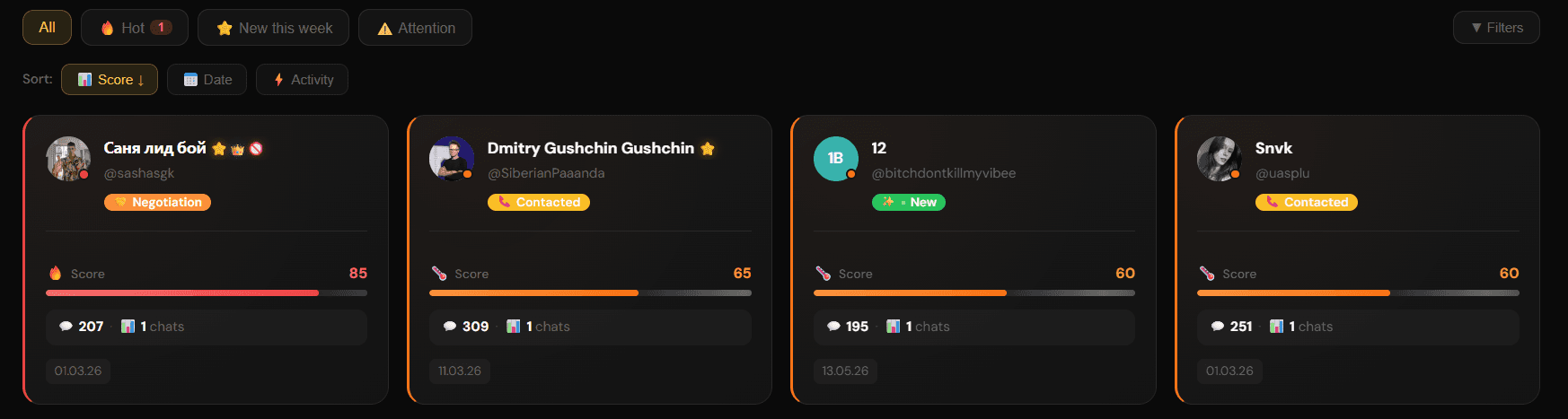
Grid view

List view

Kanban view
Overall statistics across all campaigns

Auto-create leads — all new incoming messages will automatically create a lead in your CRM

Below that, you’ll find filters and sorting options, as well as lead search

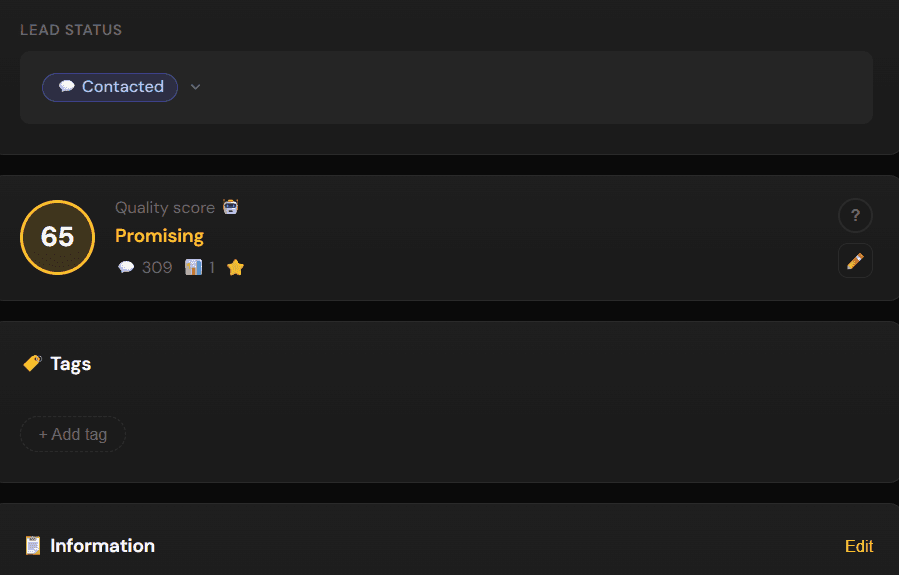
Click on a lead card to:
view conversation history
change the lead status
review or edit the automatic lead quality score
add a tag
add custom variables
leave a note
view change history
add the lead to a blacklist so they no longer receive automated messages

← All guides