What is parsing, and how to extract chat members?
You joined relevant chats to find potential leads and message them.
Instead of messaging everyone manually, you can extract (parse) all chat participants together with their messages, and then launch automated outreach campaigns.
Even better, you’ll have context, because you’ll see what your lead was discussing
1. Open the “Chats” section

2. Select the required chat/group/channel in the chosen account (left side) and click “Parse Chat” (right side)

3. Enter the number of recent messages to load from Telegram
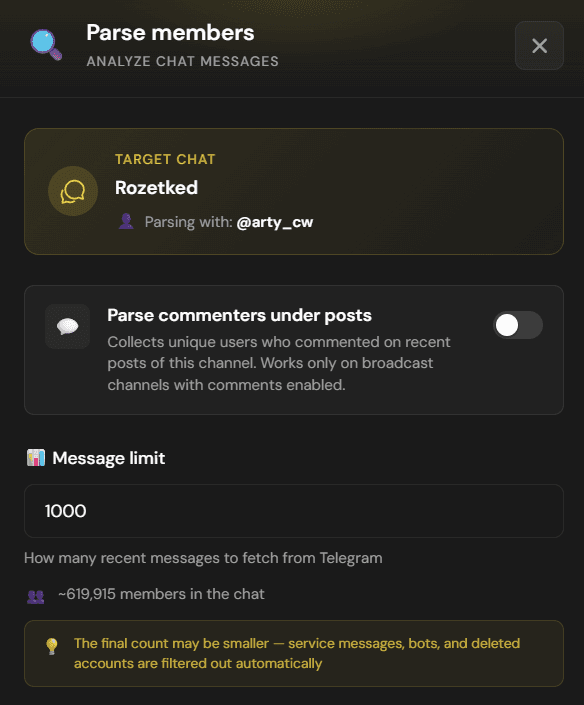
4. You can extract not only members, but also commenters under posts

5. You can enrich all extracted contacts with information from their “Bio” section to get more context about what the lead does

6. Open the “Parsed” section to see all participants and their messages

7. Here you can export the database to CSV or add selected leads directly to your CRM

← All guides